
🔍 This guide is available in 2 display formats: text (easy to read) and visual (step-by-step with images).
Feel free to choose the format that suits you best, and don’t hesitate to leave a review at the end to help our team improve the experience 🙌
🤔 Beincom also offers a Visual Guide with lively illustrations below — give it a try, it’s super easy to follow!
🧭 Step-by-step Instructions
🔢 Step 1: Access Lucky Wheel
-
Or click on the
 “Lucky Wheel” icon on the Beincom homepage.
🔢 Step 2: Choose to buy more spins
-
In the Lucky Wheel interface, click on
 More
.
More
.
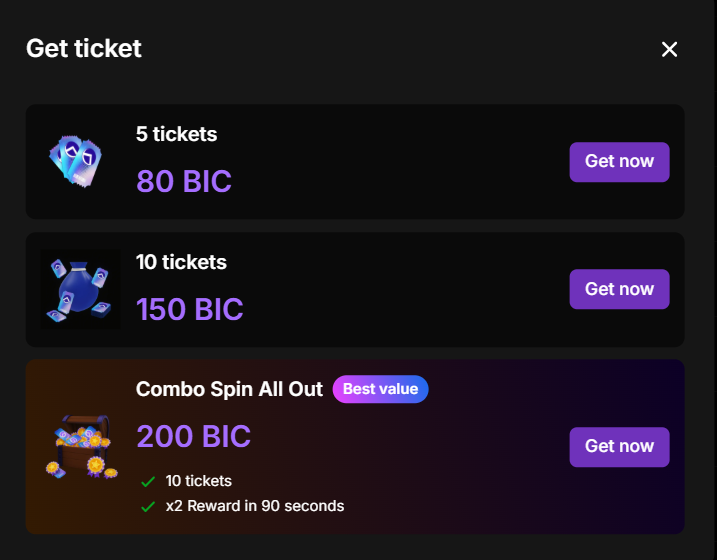
- A list of current spin packages will appear.
🔢 Step 3: Select a suitable package
- Basic packages: Buy as many spins as you want; they are cumulative without limits.
- Gift packages (x2 rewards): Must be used one at a time (not cumulative). You need to finish the current package before buying another.
🔢 Step 4: Make payment
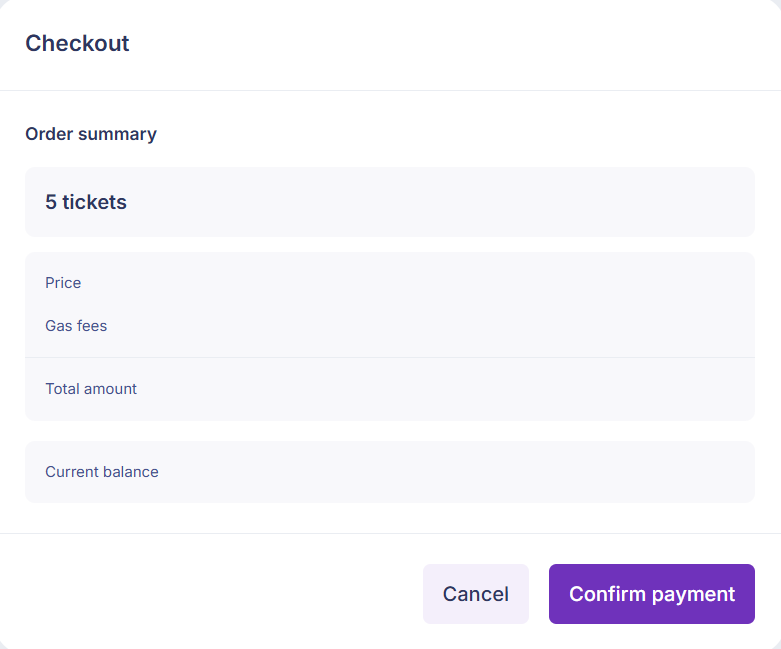
- Click Buy Now for the selected package.
- Verify package info and cost, then click Confirm Payment.
- Enter your wallet password to complete.
🔢 Step 5: Check spin status
- Spins will be added to your account within 2–3 minutes.
- Monitor processing status in the Lucky Wheel interface.

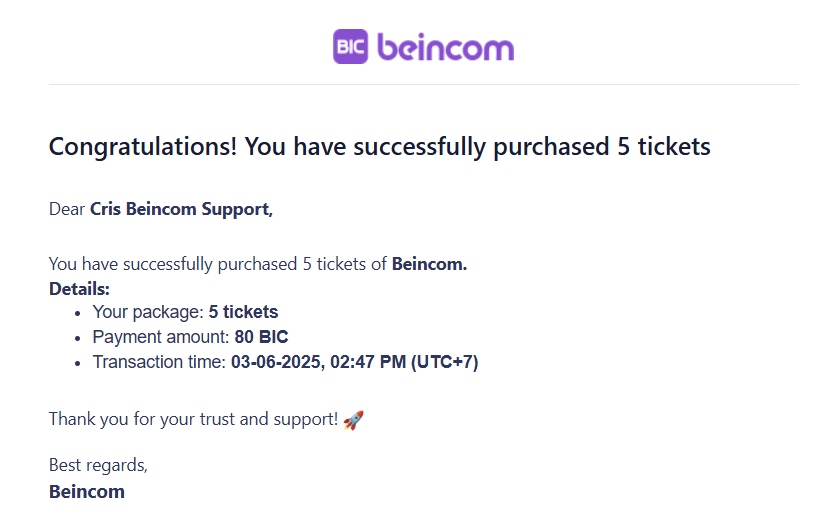
🔢 Step 6: Get notification
You will receive notifications via:
- Lucky Wheel interface
- Notifications section in the app
- The Email you used to register with Beincom
🛠 Having trouble?
If payment fails or spins are not added after 5 minutes, please contact support via Help & Feedback in the app.