
✅ Completing KYC helps verify your account, boosts credibility, and unlocks exciting benefits on Beincom such as participating in airdrops, staking, earning rewards, and more.
It only takes a few minutes to verify using your Nation ID Card or Passport, and your account will be awarded the official shiny purple checkmark!
🔍 This guide comes in two formats: text (easy to read) and visual (step-by-step with images).
Feel free to choose the format that works best for you, and don’t hesitate to leave a rating at the end to help the team improve your experience 🙌
🤔 Beincom also provides a Visual Guide below with image-based steps — feel free to check it out, it’s super easy to follow!
🧭 Step-by-step Instructions
🔍 Note:
– KYC verification is only supported on mobile devices using a Nation ID Card or Passport.
– KYC verification is only supported on mobile devices using a Nation ID Card or Passport.
📱 Start eKYC
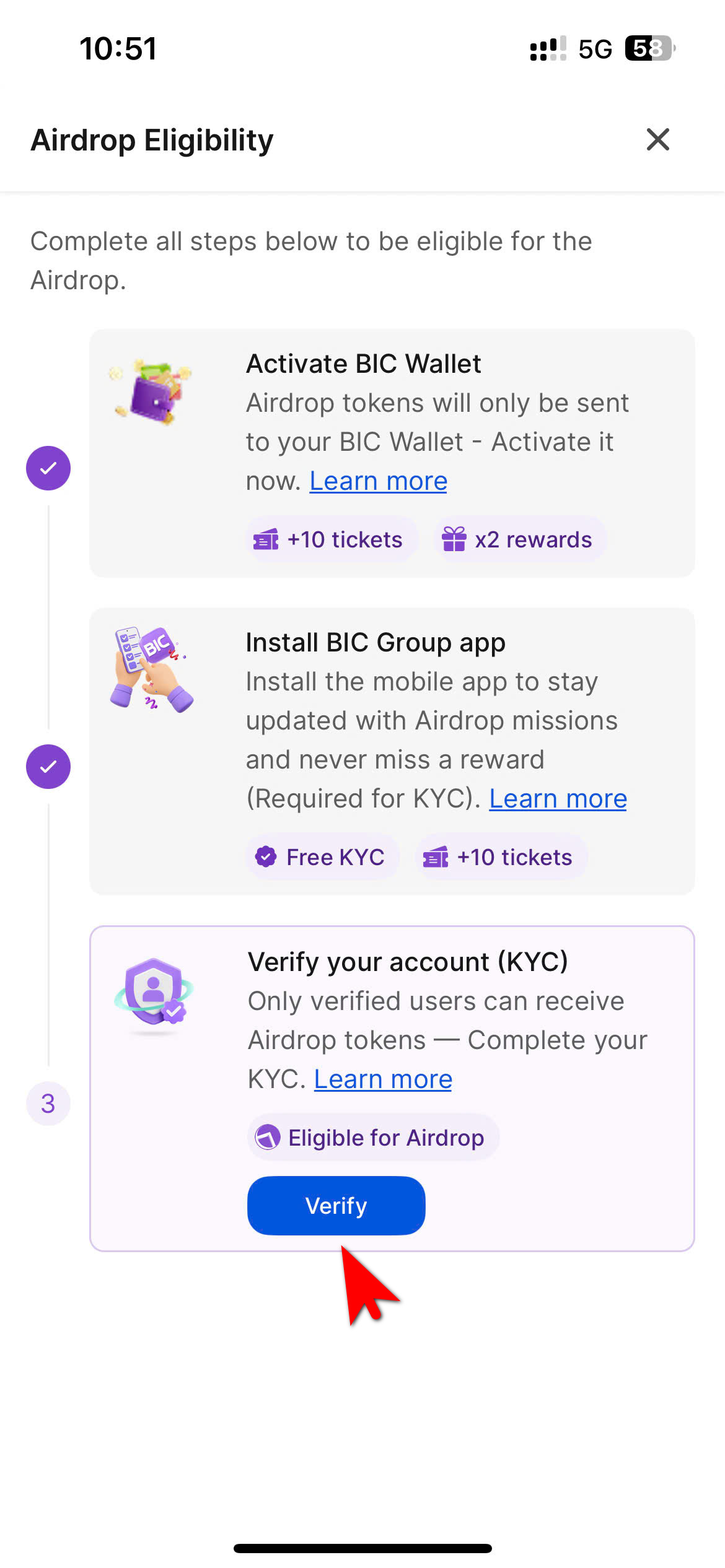
- Select BIC Group on your phone → go to Airdrop Eligibility
→ Having completed the first 2 tasks: Activate BIC Wallet and Install BIC Group App
→ In the third task Verify your account (KYC) , select: Verify . - Tap Get started. By continuing, you agree to our Privacy & Terms.
- Enter your personal information (full name, date of birth, sex, and nationality), then tap Continue.
📸 Capture Passport Photos
- Select Open Camera and allow camera access.
- Take photos of the front and back of your front & back of your ID or Passport. Make sure the document is clearly visible in the frame.
- Review your details and tap Continue.
🧠 Selfie with ID
- Take a photo of your face while holding your ID.
- Hold the ID in your hand (do not cover your face), not on a surface.
- Do not use an altered or unauthorized ID.
- Make sure the photo is clear and in focus (no glare, reflections, or blur).
- Keep your face straight and fully visible (no glasses).
The system will display “Submitted successfully” and your information will be reviewed within 48 business hours.
Updated on 13/03/2026