
🔍 This guide comes in two display formats: text (easy to read) and visual (step-by-step image walkthrough).
You can choose the format that suits you best — and don’t hesitate to leave feedback at the end to help us improve your experience 🙌
🤔 Beincom also provides a Visual Guide with illustrations below — check it out, it’s super easy to follow!
🧭 Steps to Submit a Bug Report or Feedback
🔢 Step 1: Open Help & Feedback
- Hover over the right edge of the screen and select Help & Feedback.

🔢 Step 2: Choose a category
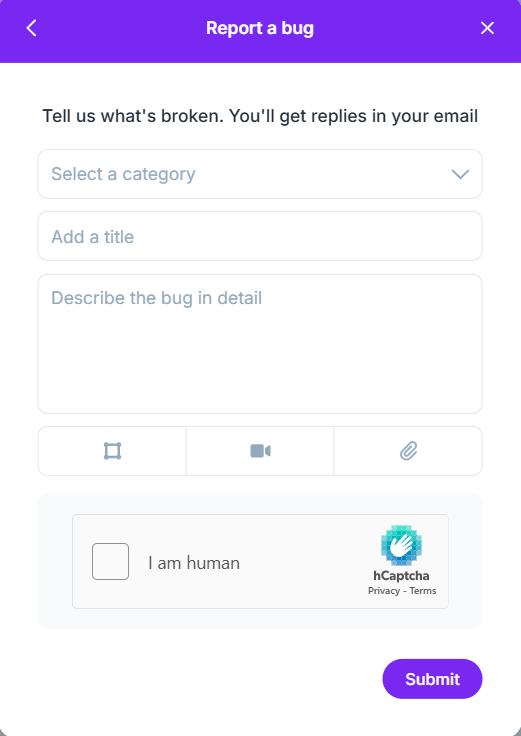
- Report a bug: Report any issues or errors while using the app.
- General feedback: Suggest or comment on new features.
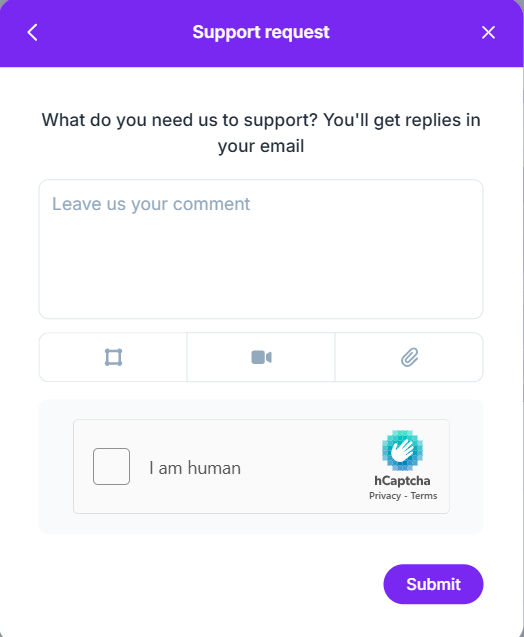
- Support request: Ask for other support needs.
- Visit us on Help Center: View user guides and FAQs.
📝 How to submit a bug report or feedback
- Report a bug: Fill in your email, select a bug category, enter a title, detailed description, attach a file (if any), verify I am human, then click Submit.
- General feedback: Enter your email, title, describe your feature suggestion, attach a file (if any), verify I am human, then click Submit.

- Support request: Enter your email, describe the issue, attach a file (if any), verify I am human, then click Submit.
📱 If you’re reporting an issue on mobile, follow these steps:
- Tap your profile picture in the top-right corner of the screen.
- Select the Report a problem option.
- The reporting interface will open in a new tab. The reporting steps are the same as on desktop browsers.